POKA avatar logoPOKAv0.1

POKA Documentation

POKA Bizz Overview

Central operations workspace for agencies and production teams to run projects, collaboration, delivery, and billing from one dashboard.

POKA Bizz Network

Explore module relationships in 3D. Expand nodes to reveal subnodes and inspect feature groups.

Click a node to expand subnodes. Drag to rotate. Scroll to zoom.

Interactive 3D

POKA Bizz

Overview

Business operations hub for agencies, freelancers, and production teams.

  • POKA Bizz is designed for :

    • Media agencies handling multiple active client projects.
    • Freelancers who need one workflow from production to payment.
    • Production teams coordinating reviews, deliveries, and billing.
  • Core modules include :

    • Briefcase
    • My Storage
    • Deliveries
    • Invoices
    • Payments
    • Tax Compliance
  • Briefcase supports :

    • Folder hierarchy for production-stage organization.
    • Tags and metadata fields for faster search and routing.
    • Threaded comments tied to each file.
    • Review stages and approver pools.
    • Activity timeline for traceability.
  • Deliveries and client access include :

    • Controlled recipient scope.
    • Password and access controls.
    • Client portals for shared resources.
    • Share lifecycle tracking.
  • Invoices and payments include :

    • Invoice generation and sharing.
    • Claim flow tracking.
    • Payment status transitions.
    • Invoice PDF records.
  • Governance and permissions cover :

    • Account-level permissions.
    • Department-level permissions.
    • Briefcase and file-level permissions.
    • Audit events and activity history.
    • Optional Drive integration with controlled access.

Step-by-step Flow

Organization Baseline

Workspace identity, timezone, currency, and operating defaults.

Timezone
Currency
Fiscal Cycle

Set Business Baseline

Create business profile and confirm baseline organization settings.

Step 1 of 8

Limits

Operational Constraints

  • Module visibility and actions depend on role configuration and capability grants.
  • If department templates are misconfigured, users may lose expected access to project actions.
  • Google Drive actions require active OAuth permissions and can be affected by provider quotas.
  • Client visibility is strictly bounded by share scope and invite state.
  • Large file-heavy projects require clear storage governance to avoid operational confusion.
  • Some lifecycle actions, such as approval decisions, are intentionally restricted to authorized roles.

Notes

Recommended Practices

  • Media agencies: Set one account lead per client workspace to prevent ownership confusion across briefs, deliveries, and invoices.
  • Freelancers: Keep one simple workflow from intake to invoice so project handoff stays fast and predictable.
  • Production houses: Mirror your actual production departments inside permissions to reduce rework during review cycles.
  • Client-facing teams: Run one pilot project end-to-end before onboarding all active clients.

Screenshots

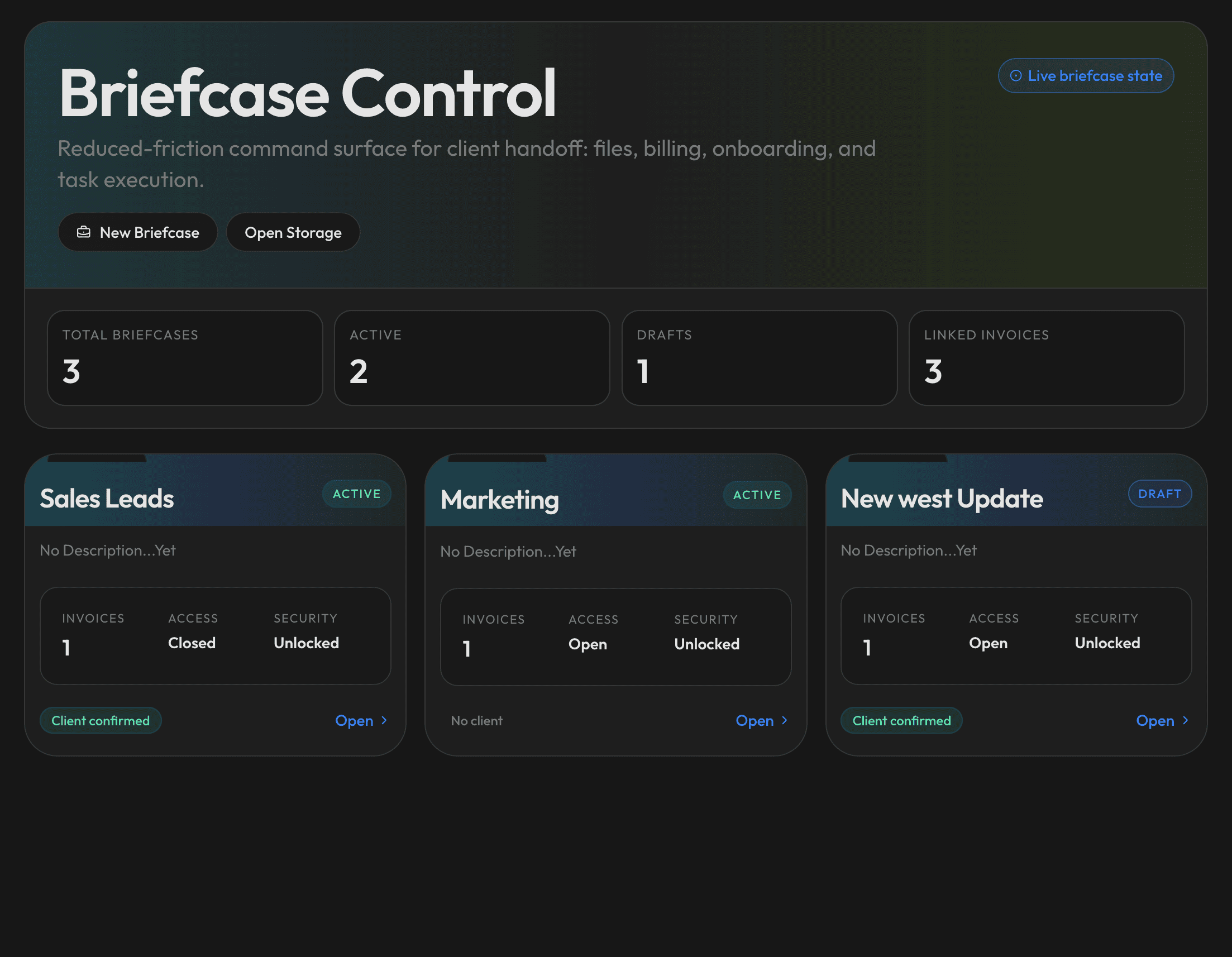
POKA Bizz dashboard interface
POKA Bizz business dashboard with module navigation.
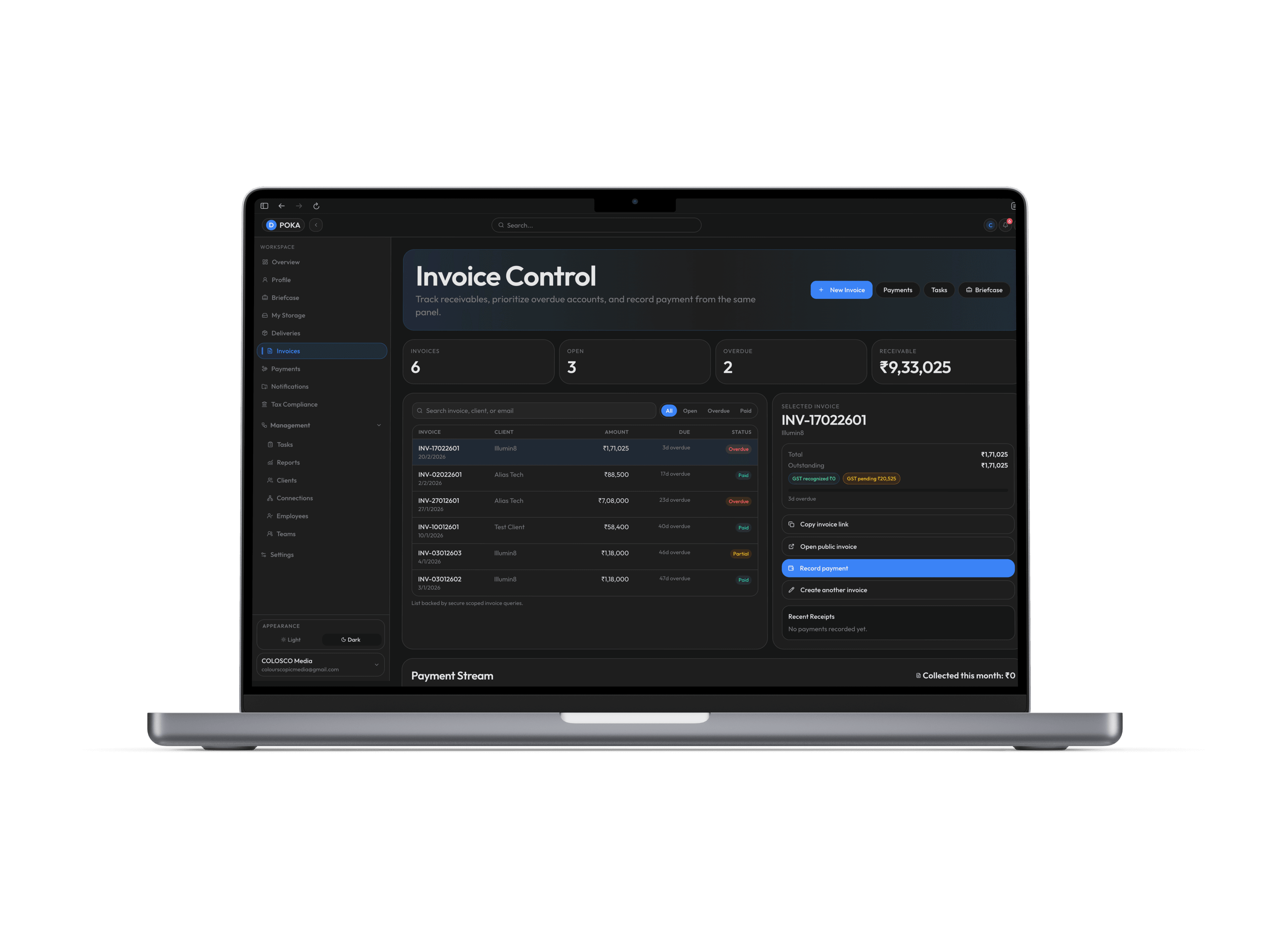
POKA Bizz invoice and operations panel
Invoices and billing controls inside the broader operations workflow.

Workflow Diagram

POKA BizzRoot
Project Operations

Briefcase Workspace

Create project spaces for files, collaborators, and stage ownership.

Folders, Tags, Metadata

Organize assets with searchable structure and contextual labels.

Review Stages and Approvals

Run internal and client approval gates with clear decision history.

Activity Timeline

Track who changed what and when across the project lifecycle.

Delivery and Client Access

Secure Deliveries

Share approved outputs with controlled recipient access.

Password and Access Scope

Protect handoffs with passwords and restricted visibility.

Client Portals and Invites

Give clients dedicated access paths for resources and status.

Share Lifecycle Tracking

Monitor link opens, downloads, and delivery completion.

Billing and Finance

Invoice Generation

Create invoices tied to projects, retainers, and milestones.

Claim and Share Flow

Send invoices and track recipient claim confirmation.

Payment Status Tracking

Follow pending, partial, and completed payment states.

Invoice PDF Records

Export invoice documents for bookkeeping and compliance.

Storage and Integrations

Databox File Management

Manage project assets in structured cloud folders.

Google Drive Sync Options

Connect Drive for listing, upload, and sync workflows.

Cloud Storage Backends

Use scalable object storage paths for production files.

Team Governance

Role and Capability Controls

Define what each team role can view, edit, and approve.

Department Permission Templates

Apply repeatable access presets by department.

Resource-Level Access Rules

Scope permissions per briefcase, folder, and file.

Operational Notifications

Alert teams on approvals, deliveries, and billing events.